 ConstraForge
Run your entire construction business — without spreadsheets.
The all-in-one desktop suite for Canadian contractors — estimating, cost control, compliance and execution, online or off.
Canadian jobs don't fail on the build. They fail on the paperwork.
- Budgets, claims and holdback spread across a dozen spreadsheets that never agree.
- Statutory holdback worked out by hand — and released to the wrong amount.
- Lien and prompt-payment deadlines tracked in someone's head, until one is missed.
- T5018 season is a frantic scramble to reconcile every subcontractor payment.
- The field and the office work off different numbers.
- Your books live in a cloud tool you don't control.
- One offline database — estimate, budget, claims and cost all reconcile themselves.
- Statutory holdback computed per province and released on the right trigger.
- Lien expiry and 28-7-7 prompt-payment clocks tracked and flagged automatically.
- T5018 slips prepared from real payments and e-filed in minutes.
- Daily logs, photos and time tie straight back to the job in real time.
- Your data stays on your machine — nothing leaves unless you choose.
ConstraForge is desktop construction management built for Canadian contractors — estimating, cost control, progress claims and field, with statutory holdback, construction lien, CCDC contracts, T5018 and GST/HST compiled into the engine. No browser tab. No data leaving your office.
One workflow, end to end.
Plan
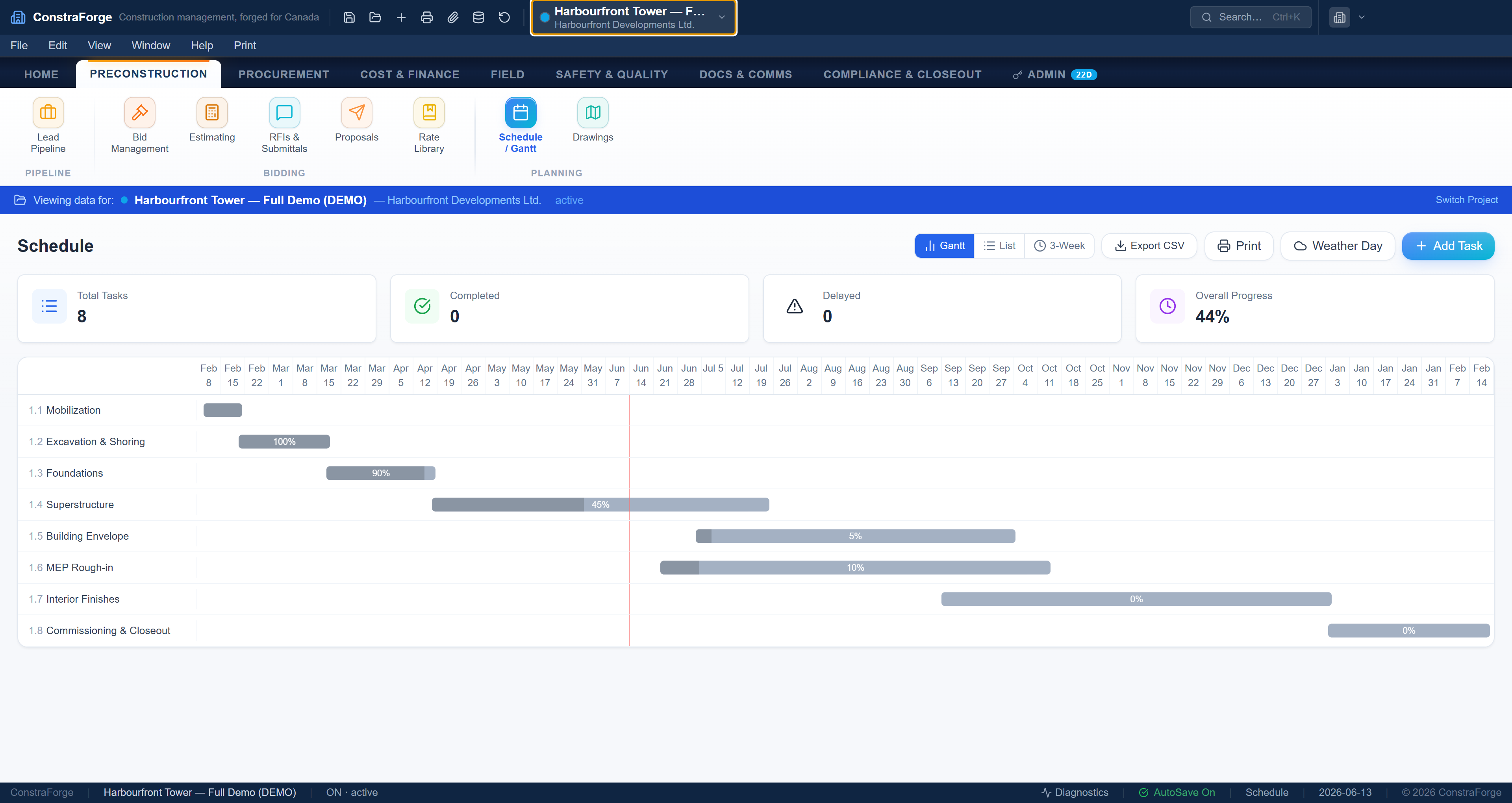
Scope the job, set the schedule and stand up the project — drawings, contacts and budget structure in place.
Estimate
Price from an assembly library by MasterFormat division and import quantities from any takeoff tool.
Execute
Run the site — daily logs, photos, crew time, RFIs, submittals and change orders, all tied to the job.
Track
Watch cost vs budget with earned-value CPI/SPI, progress claims, holdback and a live forecast at completion.
Report
Bill, e-file T5018, release holdback at substantial performance and export the full report set in a click.
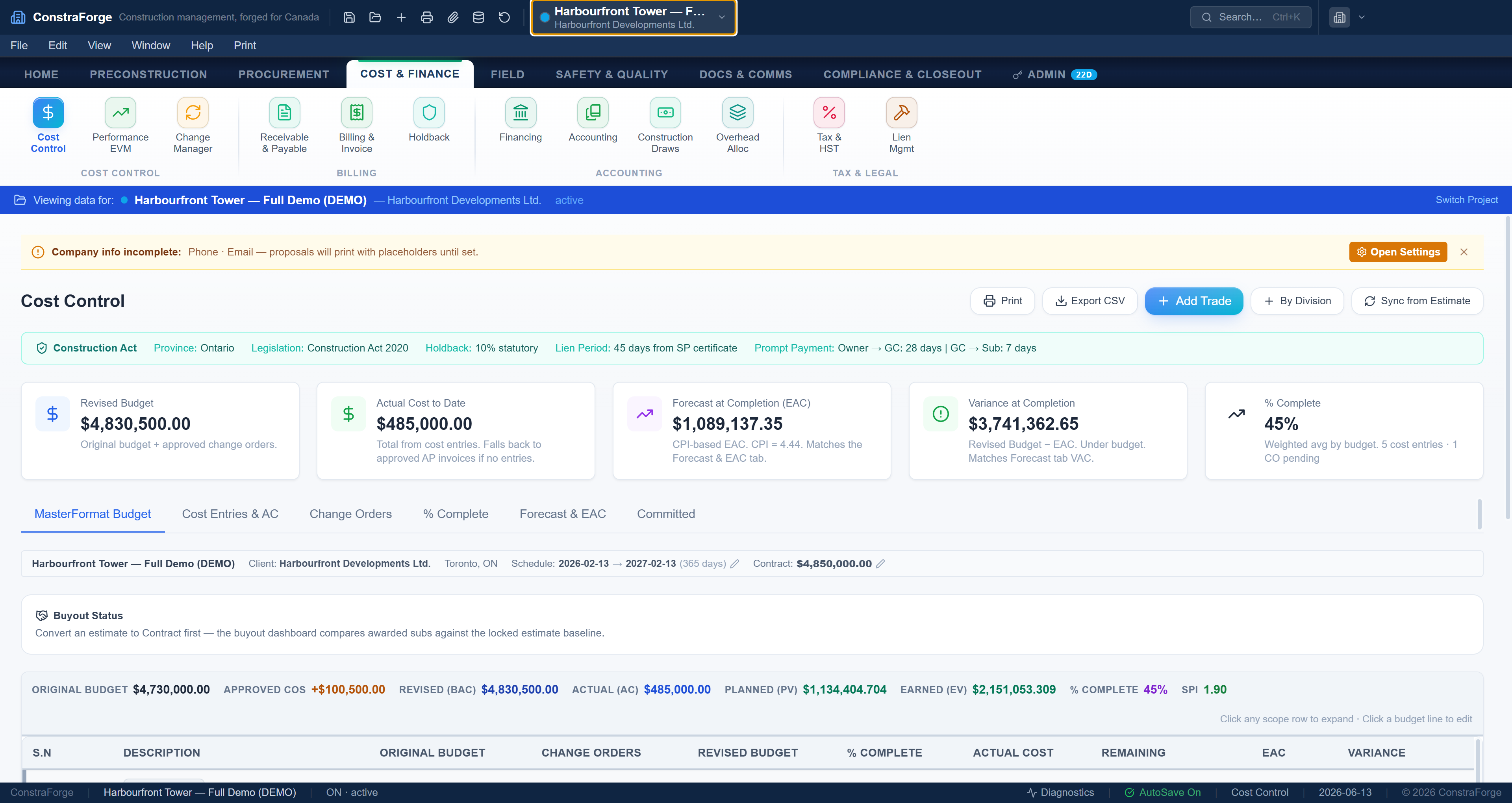
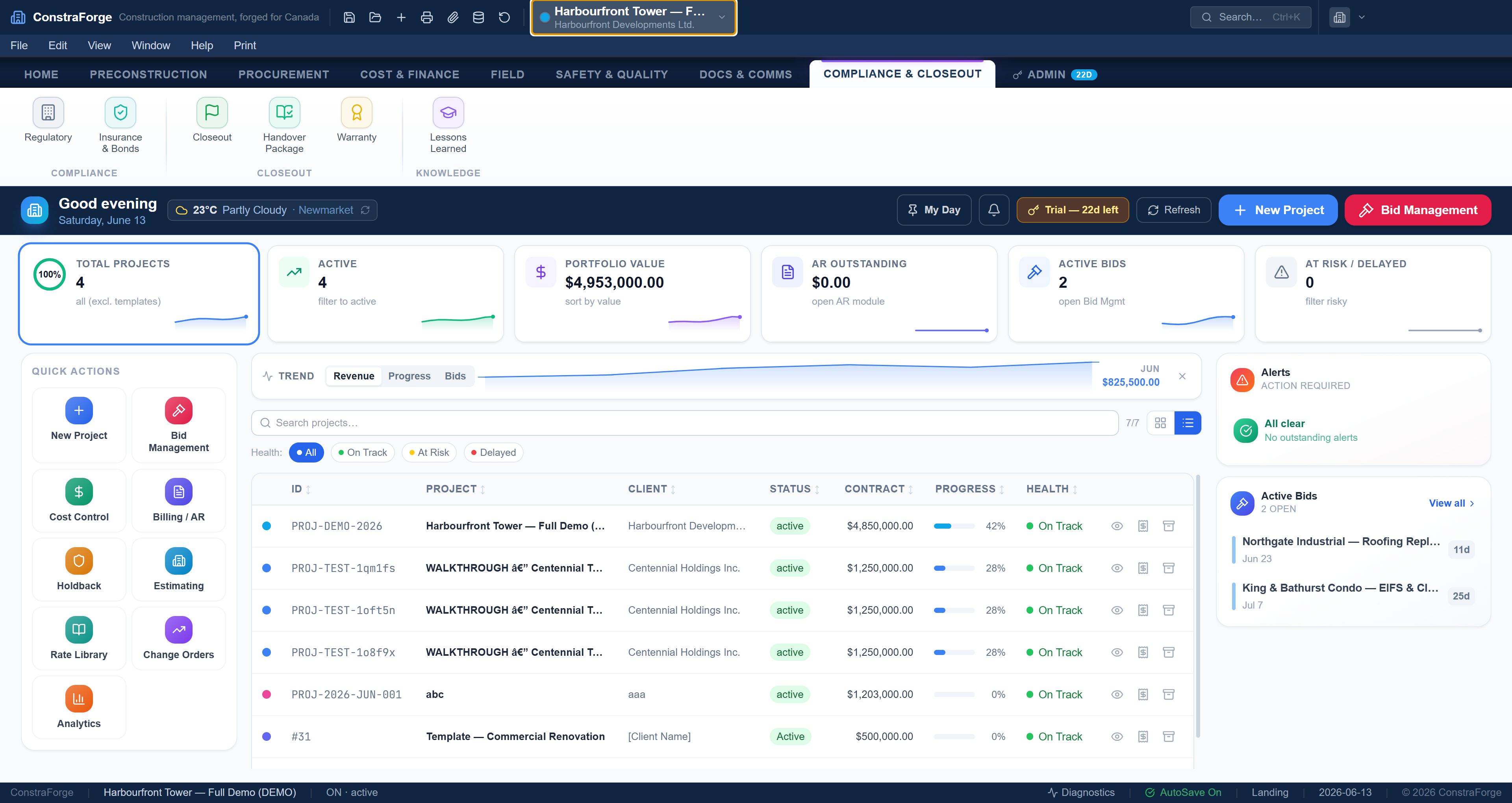
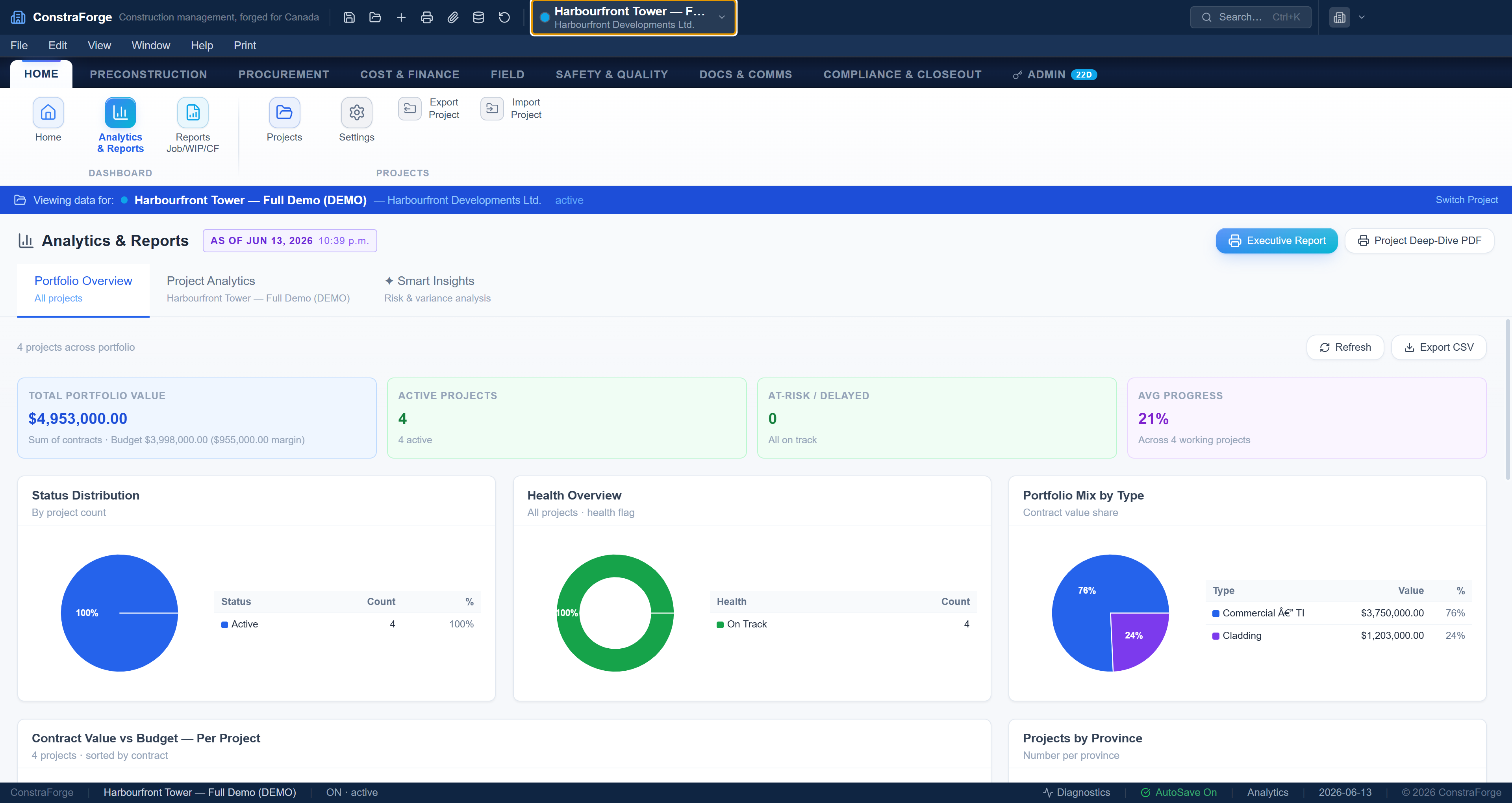
This is the actual app — real screens, real numbers.
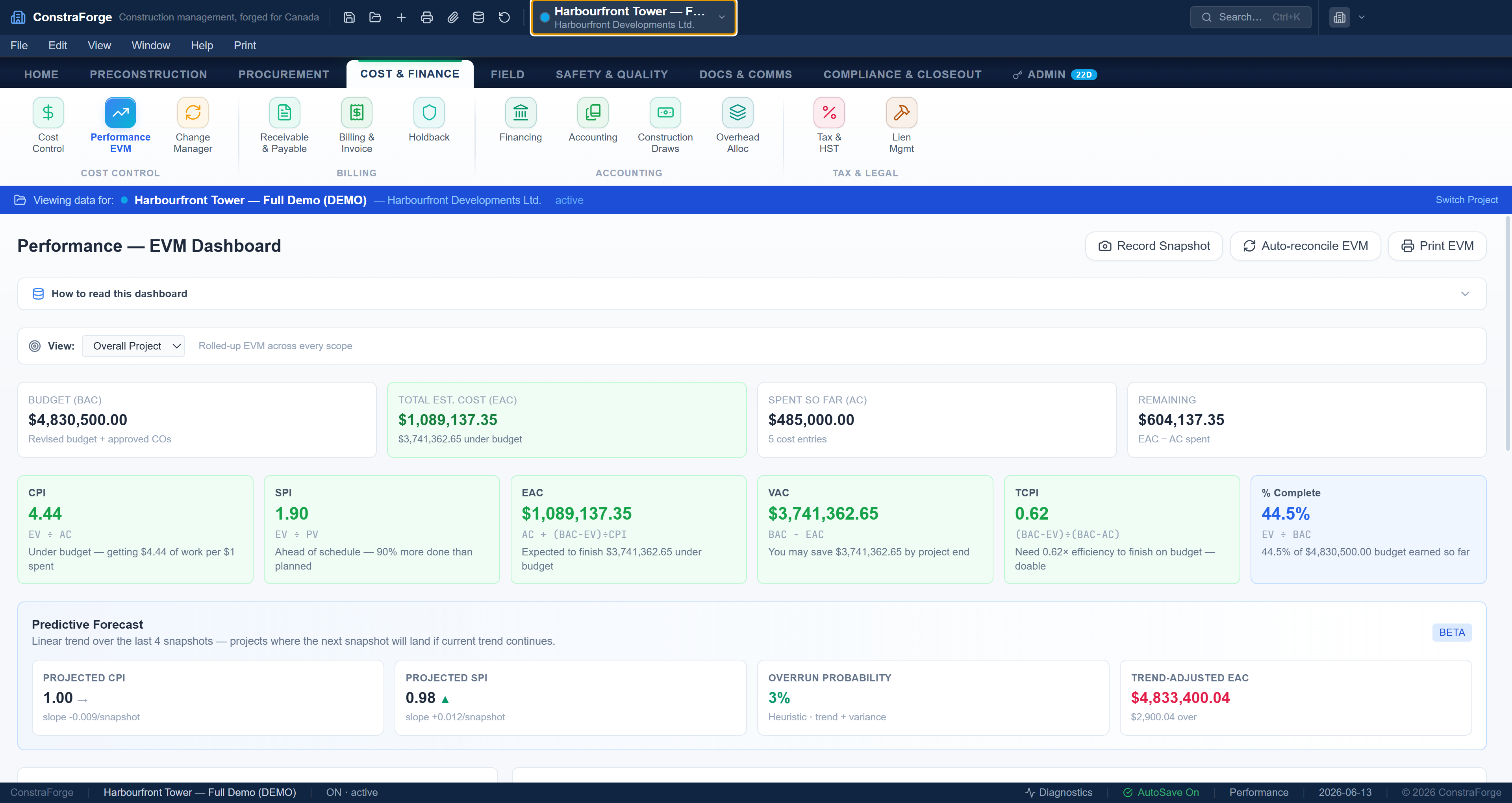
Know where the job lands — and keep the books straight.
Budgets, commitments and actuals roll up by MasterFormat division with earned-value CPI/SPI and a forecast at completion — plus job-cost accounting, AP/AR and draws, then export to QuickBooks.
- CPI / SPI / EAC + forecast per division
- job-cost, AP/AR, change orders & WIP
- one-click QuickBooks & Excel export
See more real screensAR · holdback · estimating
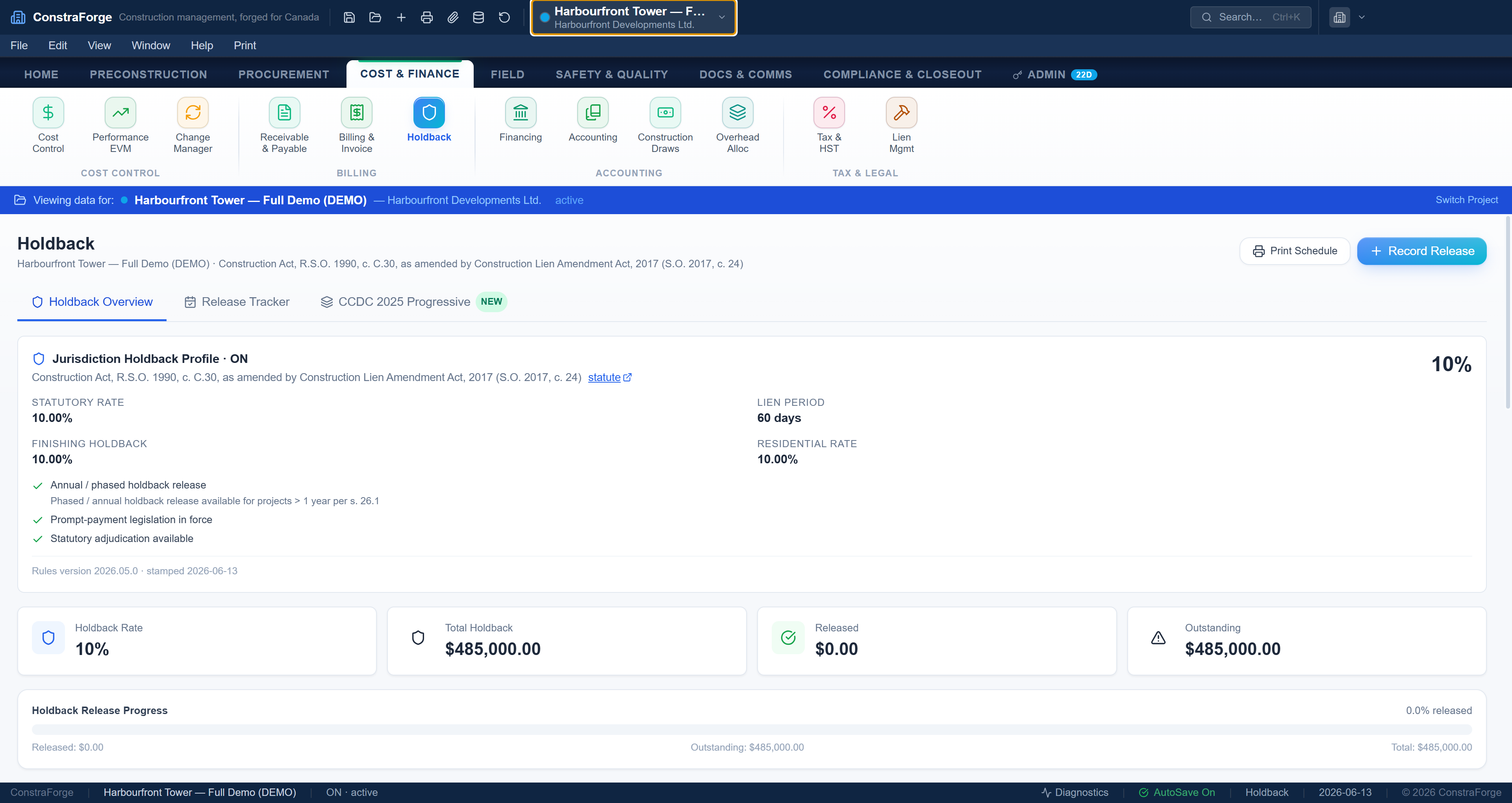
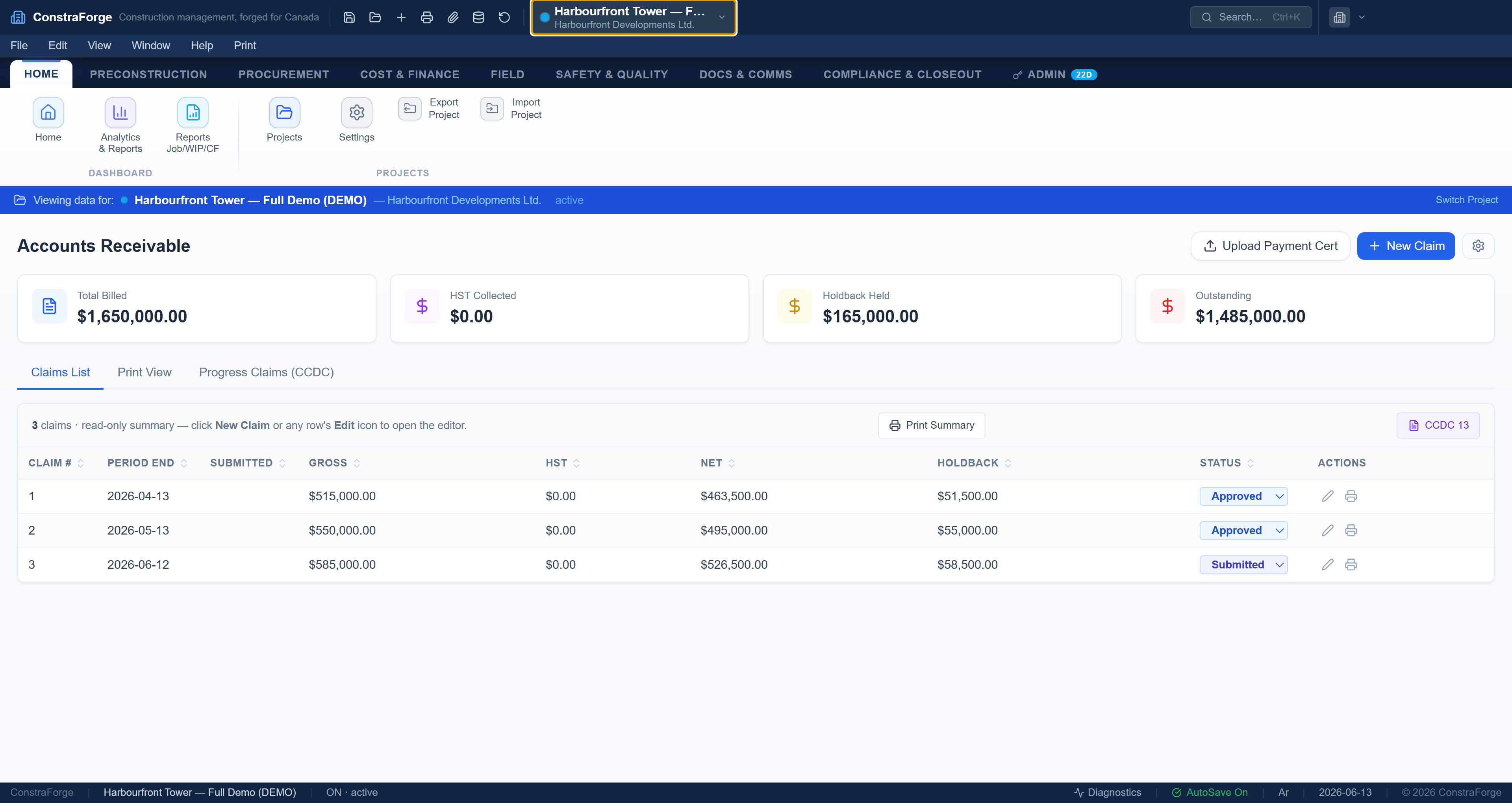
Claims that get approved. Holdback you never lose.
Bill on a CCDC schedule of values, hold the right statutory amount per province, and get alerted before every release and T5018 deadline.
- CCDC G702-style certificates
- statutory holdback, per province
- lien waivers + T5018 e-file
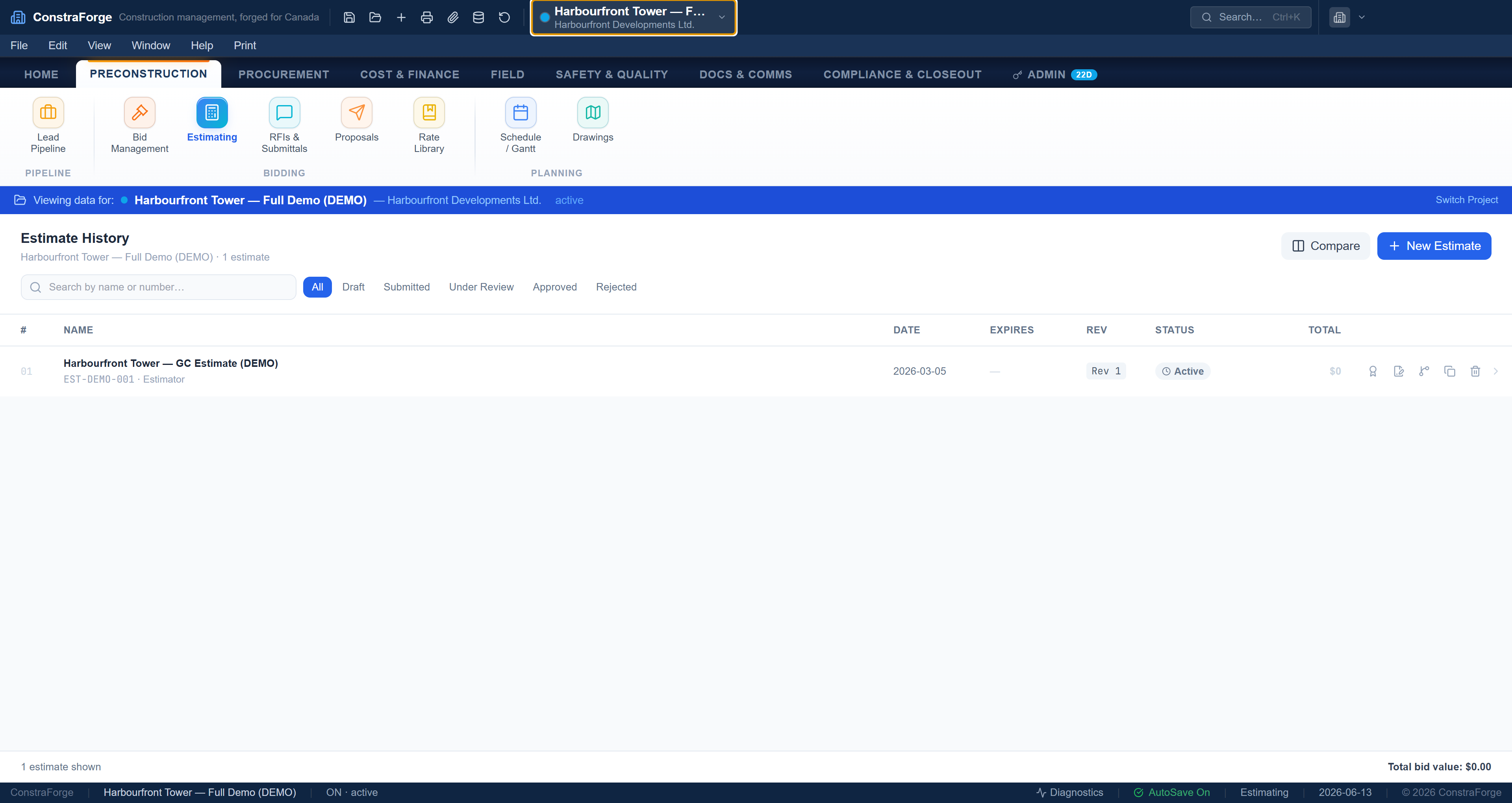
Estimate once. Carry it through.
Bring quantities from your takeoff tool, then assemblies and a pricing library turn them into a full cost estimate that flows straight to the budget — the number you bid is the number you track.
- assembly + component library
- import quantities from any takeoff tool
- estimate → budget → claims
65 modules, grouped the way you work.
Get the job ready
Estimating from an assembly & pricing library, bid management, branded proposals, schedule, drawings and document control.
Run the site
Daily logs with weather & manpower, geotagged photos, crew time clock, equipment, RFIs, submittals and WHMIS safety records.
Get the money right
Earned-value cost control, CCDC progress claims, statutory holdback, change orders, AP/AR, draws and full job-cost accounting.
Prove it and hand over
Deficiencies to substantial performance, holdback release, T5018 e-file, warranties, handover package and one-click exports.
See all 65 modules by categorypreconstruction → closeout
Why a desktop app, not another browser tab.
Works fully offline
The trailer, the basement, the remote site — ConstraForge runs with no internet. Your project is always there.
Native speed
A local database means instant filtering, recalculation and reporting across big estimates and long jobs — no spinner.
Handles heavy projects
Thousands of cost lines, full drawing sets and years of history stay on your machine and your office server — not a metered cloud plan.
Your data stays yours
The database lives on your hardware. Nothing leaves it unless you opt into cloud sign-in or backup — no vendor lock-in.
Built for Canada
Holdback, lien, CCDC, T5018 and GST/HST/QST/PST are compiled into the engine for all 13 provinces and territories, EN/FR.
Installs in seconds
One Windows installer, no IT project. Open it and start a real job the same afternoon.
Canadian construction law — compiled into the math.
See all 10 compliance rulestax · prompt-payment · WSIB · QC · more
Bring your takeoff. Keep your accountant.
Honest pricing. Your data stays yours.
- all 65 modules
- Canadian compliance
- local data only
- 1–10 seats
- cloud licensing & seats
- priority support
- company rollups
- onboarding + training
- SLA support
Example: a 5-person crew is $245/mo — or $2,695/yr (1 month free).
Built on Canadian law — and built to keep your data private.
Grounded in the actual statutes
The money math isn't our interpretation — it's wired to the legislation and CRA rules contractors are held to.
Security & privacy
- Offline-first — your project database lives on your machine or office server.
- Nothing is uploaded unless you opt into cloud sign-in or backup.
- Cloud credentials & connector tokens are encrypted on-device.
- No ad tracking, no selling data — you own your books.
Resources, releases & how to level up.
Changelog & industry newsrecent releases · Canadian sources
What's new in ConstraForge
Recent releasesLatest in Canadian construction
Updated at the sourceLearning & certification — 6 Canadian credentialsRed Seal · Gold Seal · PQS · PMP · more
Red Seal endorsement
What it isThe interprovincial standard for 50+ skilled trades — a Red Seal on your provincial certificate proves national competency and lets you work in any province or territory.
How to learnRegister an apprenticeship through your province, log the required hours, then write the Red Seal exam for your trade. Free exam-prep guides and sample questions are on the site.
red-seal.caGold Seal Certification (GSC)
What it isThe Canadian Construction Association's national certification for project managers, superintendents, estimators and safety coordinators — the industry's benchmark for management competence.
How to learnEarn points through field experience plus approved CCA / Gold Seal courses and education, then pass the national Gold Seal exam in your discipline.
cca-acc.com/gold-sealCIQS — Quantity Surveying
What it isThe Canadian Institute of Quantity Surveyors grants the PQS (Professional Quantity Surveyor) and CEC (Construction Estimator Certified) designations — the recognized credentials for estimating and cost management.
How to learnComplete the CIQS-accredited course path (online or through a partner college), gain qualifying experience, then sit the professional interview / exams.
ciqs.orgCSC — Contract Administration
What it isConstruction Specifications Canada offers the CCCA (Certified Construction Contract Administrator), RSW (Registered Specification Writer) and CTR designations — credentials for documentation, specs and contract admin.
How to learnTake CSC's education-portal courses (Principles of Construction Documentation, Specifier, Contract Administration), then apply for the matching certification.
csc-dcc.ca/CertificationsPMP — Project Management Professional
What it isThe Project Management Institute's globally recognized PMP — broad project-management methodology that's widely valued on larger construction and ICI projects.
How to learnMeet the experience + 35 hours of project-management education requirement, study the PMBOK / a prep course, then pass the PMP exam.
pmi.orgWHMIS & site safety
What it isWorkplace Hazardous Materials Information System training is legally required for anyone working with or near controlled products — the baseline safety credential on every Canadian site.
How to learnTake a WHMIS / GHS course (many are free or low-cost online) and refresh it per your employer's program; the CCOHS sets out the education & training requirements.
ccohs.caQuestions, answered.
How do I install it?
Download the Windows installer, run it, and open ConstraForge — it installs in seconds and starts a 30-day trial automatically, with every module and no credit card. It runs fully offline from the first launch.
What are the system requirements?
Any modern Windows 10 or 11 PC. ConstraForge runs locally, so there's no server to set up — for a shared team database you point everyone at one file on your office network.
Is there a Mac version?
The desktop app is Windows today — it installs in seconds and runs fully offline. macOS isn't available yet; tap the assistant (bottom-right) and leave your email and we'll let you know the moment a Mac build ships.
Can I import my takeoff?
Yes. Export quantities from any takeoff tool — PlanSwift, Bluebeam, STACK or Excel — as CSV/Excel, then import into Estimating. It maps Name, Qty, Unit and labour/material rates straight into your cost estimate and budget. (ConstraForge does the costing, not the on-screen takeoff.)
How does pricing work?
Simple per-seat pricing — $49 per seat / month for 1 to 10 seats (or $539 per seat / year, one month free). Add or remove seats any time; you assign them by email. Need 11+ seats or multi-company rollups? That's a custom Enterprise quote. The trial is free for 30 days with every module.
Is my data private?
Yes — ConstraForge is offline-first. Your project database lives on your machine (or your office server). Nothing leaves it unless you opt into cloud sign-in or backup.
Does it handle Canadian compliance?
It's built into the math: statutory holdback per province, CCDC progress claims, construction lien & waivers, T5018 e-file, GST/HST/QST/PST, and prompt-payment timelines.
Do I export to accounting?
Yes — one-shot QuickBooks Desktop (IIF) export of cost entries, AR claims and invoices, plus CSV/PDF exports across the app.
Build it right.
Free 30-day trial. Installs in seconds. Your books never leave your machine.
macOS coming — ask the assistant to be notified.